Membership + Discord access
Buy ComfyUI Studio through Patreon membership and get access to the Discord community, where members can get early access, watch galleries, and ask for help.
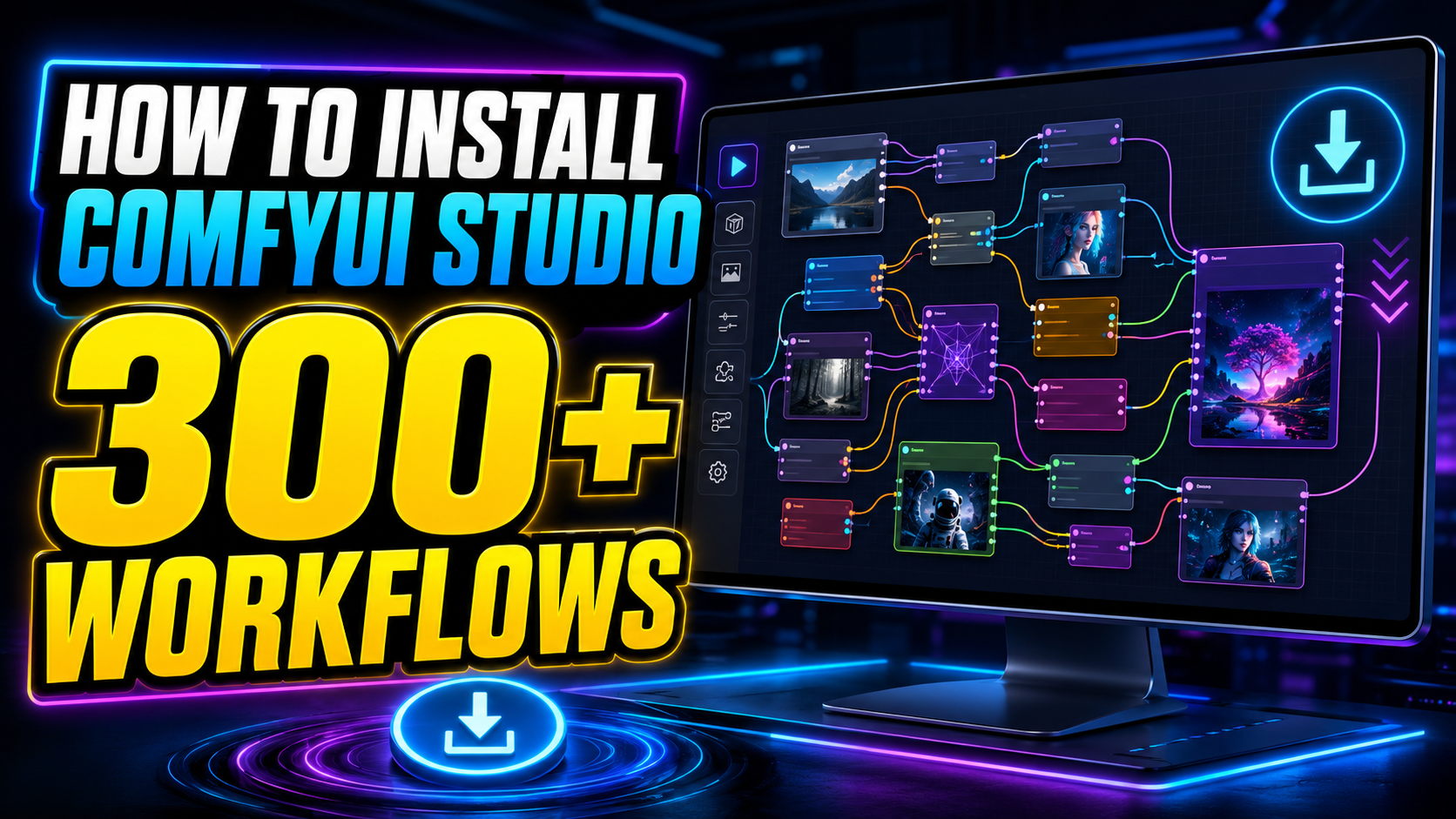
Download Studio PatreonComfyUI Studio is a complete creative workflow collection for local AI generation, integrated in a ComfyUI portable with preinstalled custom nodes. It offers simple setup, hundreds of workflows, and a growing creator community.
UPDATES V365
270 FOCUS STYLE Z IMAGE TURBO
294 CSV STYLE Z IMAGE
FLUX 2 KLEIN HAIRSTYLE
MINIMAX H3 - high res
MINIMAX H3 FAST
KREA 2 XXX
LORA DATASET CREATOR
LTX 2.5 - added video edit workflow
LTX 2.5 REFERENCE
WAN 21 SCAIL 2 - updated
YUE2 MUSIC CREATOR
---------------------------------------------
UPDATES V364
VOICE CLONER EMOTION CONTROL
FLUX 2 KLEIN - CHARACTERSHEET QUAD
FLUX 2 KLEIN CHARACTERSHEET TRIPLE
KREA 2 - CHARACTERSHEET
SEED VR2 IMAGE UPSCALE TILES
VOICECLONER - EMOTION CONTROL
---------------------------------------------
UPDATES V363
MINIMAX H3
MINIMAX H3 DIRECTOR
MINIMAX MUSIC 3
LTX 2.5
WAN ANIMATE 2
Choose the access option that fits how you want to use the Studio.
Choose a configuration based on the size and speed of the workflows you plan to run.
To download the Studio installer, link your Patreon account with Discord to gain member status in the ComfyUI Studio community.
In Patreon, open Settings and select Apps.
Open Connected apps, choose Discord, and authorize the connection.
Your member status will appear on the ComfyUI Studio Discord channel.
A straightforward setup flow for the complete offline creative studio.
Extract all 6 archive files using "WinRAR" Extractor only.
Do not download all models, as you won’t use every workflow. Each workflow includes a downloader node that will automatically fetch the required models during the first queue run. Alternatively, you can use the ‘4MODELS’ folder to download models specific to each workflow.
Start ComfyUI with the “START” script.
App/ComfyUI/models folder with your downloaded models folder, and launch again.Follow the complete ComfyUI Studio tutorial step by step.
2X LORA 2
- 2x LORA
- REPLACE WITH LORA FLUX
360 PANORAMA 2
3D MESH TRELLIS
4X QUICK UPSCALE: Fast upscaling with high quality. Adjustable image size.
275 FOOOCUS STYLES 4: Batch generation with 275 Fooocus styles.
294 STYLES 2: Batch generation with 294 styles from the style chooser.
1845 ARTIST: Batch generation with 1845 artist styles.
2000PX BATCH: High-resolution Kohya tiled image generation with batch prompts from a TXT file.
2000PX LATENT UPSCALE 4 Quick, high-quality upscaler used across all workflows.
2000PX: High-resolution image creation using Kohya.
ABC STYLER 2: Styling the alphabet letters
ACE++ 3
- ACE++ FLUX FASESWAP
- ACE++ FLUX SUBJECT
- ACE++ FLUX TRY ON
ANIMA
AUDIO ACE STEP MUSIC
AUDIO SEPARATION
AUDIO SFX
BATCH 3
- BATCH+POSE: Multiple prompts with a single pose.
- BTCH+STYLE+OPENPOSE: Batch TXT file styler with OpenPose ControlNet.
- BATCH: Batch prompts from a TXT file with face restoration.
BODYSWAP 4
- BODYSWAP SDXL: Change everything except the face
- BODYSWAP SDXL V2: Change everything except the face
- BODYSWAP FLUX: Change everything except the face
- BODYSWAP V3
BOUNCY WALK 2
BOOGU
BLOWJOB IMG2VI
BLOWJOB VID2VID LASTF RAME
CARTOON STYLE 2
- CARTOON STYLE FLUX PULID
- CARTOON STYLE FLUX PULID + CONTROLNET
CHARACTER V2: Manual character stylesheet maker.
- CN openpose
- MV Pose
- Refiner
CHARACTER V3
CHARACTER: 1-click character stylesheet maker.
CUTE YOU 5
- CUTE YOU any style
- CUTE YOU OPENPOSE WOMAN
- CUTE YOU OPENPOSE MAN
- CUTE YOU DEPTHMAP WOMAN
- CUTE YOU DEPTHMAP MAN
DEFAULT PRO 12: Powerful default workflow with style chooser, LORA node and face restoration.
- DEFAULT SDXL
- SD UPCALE
- 2000PX LATENT UPSCALE
- CNCANNY: ControlNet Canny.
- CN DEPTH: ControlNet Depth.
- CN OPENPOSE: ControlNet OpenPose.
- INPAINT PRO
- OUTPAINT
- IP ADAPTER IMG2IMG
- IP ADAPTER 2X IMG2IMG
- IP ADAPTER STYLE TRANSFER
- REMOVE BG
DEPTHMAP 5
DRAMABOX VOICECLONER
ERNIE
FACEBOOK 3D
FACEFIX: High-quality face restoration for any image, including large images.
FACESWAP 8
- FACESWAP + AUTOMASK
- FACESWAP + MANUAL MASK
- FACESWAP + BATCH
- FACESWAP VIDEO
- ACE++ FLUX FASESWAP AUTOMASK
- ACE++ FLUX FASESWAP + MANUAL MASK
- ID PRO + Mask
- ID PRO + AUTO MASK
FLORENCE IMAGE CAPTIONING 2
FLUX 2
FLUX BATCH + UPSCALE
FLUX GGUF 12
- GGUF: Creating images, including with text
- GGUF UPSCALE: Increasing image size
- GGUF INPAINT: Modifying specific parts of an image
- GGUF BATCH: Generating multiple images in a batch
- GGUF CN CANNY: Image generation based on line outlines
- GGUF CN DEPTH: Image generation based on a depth map
- GGUF CN OPENPOSE: Image generation based on human poses
- INPAINT PRO: Modifying details in high resolution
- REMOVE BG
- REMOVE BG v2
- FLUX FILL + INPAINT PRO
- FLUX FILL OUTPAINT
FLUX KONTEXT 7
FLUX KREA 6 - krea gguf, krea dev, cn depthmap, cn openpose, cn normal, img2img
FLUX ORIGINAL 12
- FLUX ORIGINAL
- FLUX UPSCALE
- FLUX INPAINT
- FLUX BATCH
- REMOVE BG
- FLUX CN DEPTH
- FLUX CN OPENPOSE
- FLUX CN CANNY
- FLUX CN NORMAL
- INPAINT PRO
- FLUX FILL + INPAINT PRO
- FLUX FILL OUTPAINT
FLUX SPRO
FLUX UPSCALE
FLUX XXX 4
GEMMA LLM
HALLOWEEN 2
HIDREAM 3
HOLO CINE
HUNYUAN 3D
HUNYUAN + LORA
iC LIGHT 2
ID 11
- 2000PX ID + FACEFIX
- ID PRO + MASK: High-quality face swap for large images.
- ID SKETCH:
- ID + POSE: Set a pose, add your face, and generate the image.
- ID + BATCH POSE + BATCH STYLE: Generate batch poses and styles with your face.
- ID 2X STYLES: Generate images with two faces in any style, using a style chooser.
- ID 2X WEDDING: Create wedding-themed images with 2 faces using a wedding pose.
- ID STICKER BATCH: Batch render stickers with your face in various styles.
- ID STICKER: Generate sticker versions of your face with customizable styles.
- ID: Generate an image with your face.
- ID + POSE + BATCH PROMPT: Set one pose and face, then generate batch styles.
IDEOGRAM
ILLUSION 2
IMAGE UPSCALE SEED Vr2
INFLUENCER
INPAINT KING
INPAINT PRO 7:
- FLUX FILL + INPAINT PRO
- FLUX FILL OUTPAINT
- OUTPAINT SDXL
- INPAINT PRO SDXL : Inpaint with crop and stitch function
- BODYSWAP + RETOUCH SDXL
- BODYSWAP + RETOUCH GGUF
- INPAINT PRO FOOCUS SDXL + IP ADAPTER
ISOMETRIC STYLE
KLEIN NSFW
LIVEPORTRAIT 3
- LIVEPORTRAIT Easily edit facial expressions for custom AI-generated faces.
- MANUAL ANIMATING
- EXPRESSION EDITOR
LLM PROMPT GENERATOR
LLM QWEN VL
LIPSYNC FLOAT
LIPSYNC VID2VID
LIPSYNC
LTX-2.3 9in1
LTX 2.3 9IN1 XXX
LTX 2.3 DIRECTOR
LTX 2.5
LTX VIDEO UPSCALER
MMAUDIO
MINIMAX H3
MINIMAX H3 DIRECTOR
MINIMAX MUSIC 3
MORPH 7 V2:
- INPAINT PRO MORPH FLUX
- AGING FEMALE V2
- AGING MALE
- INPAINT PRO MORPH
- SEGMENT MASKING MORPH
- MORPH FROM IMAGE FOLDER
- MORPH IMAGES Morph transitions between images
MOTION 3
- PROMPT TO MOTION
- SEAMLESS PATTERN CREATOR
- IMAGE TO MOTION
MUSIC GENERATOR ACE
PAINTER 2
PARTY 4
- ONE PHOTO INSTANT ID
- ONE IMAGE REMOVE BG
- PARTY INSTANT ID BATCH
- REMOVE BG BATCH
PHOTOMAKER: Face cloning with IP adapter.
PORTRAIT MASTER
POSE EDITOR 2 sdxl/flux
PRODUCT BG V2
PULID 5
- PuLID FLUX 2 FACES
- PuLID FLUX
- PuLID
- PuLID 2 faces
- PuLID + IP adapter
QWEN 3 TTS
QWEN IMG 11
QWEN FACESWAP
QWEN ACTIONFIGURE
REALISM SDXL 6
RECOLOR 3
- RELIGHT
- RECOLOR OBJECTS
- RECOLOR PEOPLE + ID
REMOVE BG 7: Effortlessly remove backgrounds for clean, isolated subjects.
- REMOVE OBJECT
- REMOVE BG
- BATCH FROM FOLDER
- INPAINT OBJECT REMOVE BG
- REMOVE BG VIDEO/GREEN BG
- REMOVE BG VIDEO/IMAGE BG
- REMOVE BG VIDEO/VIDEO BG
RESTORE IMG: Enhance and restore images to improve clarity and detail
REALISM IMAGE CONVERTER
RETOUCH PRO 3:
- RETOUCH PRO INPAINT: Professionally retouch images with inpaint function
- RETOUCH PRO SDXL
- RETOUCH PRO FLUX GGUF
SD3.5 4: New model for image generation with text
- SD3.5
- SD3.5 CANNY
- SD3.5 DEPTH
- SD3.5 DEPTH + CANNY
SDXL XXX 2
SDXL XXX BATCH
SEGMENT ANYTHING: Modify specific segments in an image.
SKINFIX 2
SKETCH IT 6
- SKETCH IT: Create sketch style images
- WATERCOLOR
- ID SKETCH
- COUPLE SKETCH
- PuLID FLUX bw illustration
- PuLID FLUX bw Graphite
SUBTITLES 2
TEXTURE 3D
TRANSPARENT VIDEO
TRY ON CATVTON
ULTIMATE SD UPSCALE: Tiled upscale for fast and high-quality results.
VIBE VOICE 2
VIDEO UPSCALER
VIDEO UPSCALE FLASH VR
VIDEO SD 1.5
- TXT2VID Sd15
- TXT2VID SD15 BATCH PROMPT
- IMG2VID IP ADAPTER
- VID2VID V1
- VID2VID V2
- VID2VID V3
VACE GGUF 6
- TXT2VID
- IMG2VID
- VID2VID
- OUTPAINT VIDEO
- OUTPAINT IMAGE
- INPAINT IMAGE
VFX TOOL
VOICE-CLONER 3 : index tts-2, Chatterrbox, F5 TTS multilingual
VOICE CLONER FISH AUDIO
WAN 21 BINDWEAVE
WAN 21 SCAIL 2
WAN 21 SCAIL
WAN 22 TXT2IMG
WAN 22 ANIMATE
WAN 22 ANIMATE 2
WAN 22 LONG SVI
WAN 22 TXT2IMG 2
WAN 22 VACE
WAN 22 5 - txt2vid, img2vid, flf2vid, Wan 2.2 5B txt2vid, wan 2.2 5B img2vid
WAN 22 XXX
WAN 22 PROMPT RELAY
WAN 6 - wan ip adapter, txt2vid wan 2.1, - img2vid wan 2.1 - img2vid fusion x - wan interpolation - wan interpolation v2
WAN EFFECTS 20 Squish, Cakeify, Baby, Pirate Captain, 360 Rotate, Deflate, VIP, Samurai, Inflate, Crush, Mona Lisa, Zen, Gun
Shooting, Muscle, Princess, Assassin, Bride, Puppy, Jungle, Warrior
WAN IMG2VID XXX 2
WAN FANTASY TALK
WAN FANTASY PORTRAIT 2 +MULTITALK
WAN INFINTE TALK 3 img2vid 1 audio, img2vid 2 audio, vid2vid lipsync
WAN MULTITALK 2
WAN MOCHA
WAN PHANTOM
WAN RECAMMASTER
WAN STEADY DANCER
WAN TXT2VID HQ
WATERMARK 3 - watermark image - watermark video - watermark image from folder
WEBGALLERY
WILDCARDS 4: Use wildcard prompts to add variety and creativity
- WILDCARDS V2 SDXL
- WILDCARDS V2 GGUF
- WILDCARDS SDXL
- WILDCARDS FLUX GGUF
WILDPROMPTER 7
YOUTUBE TO Mp3
Z IMAGE
ZOOM
The download was interrupted by an unstable connection. Run the model download script repeatedly until every file finishes.
Your device does not have enough memory to load the model or complete the process.
Install Visual Studio 2022 and select the Desktop development with C++ workload.
Disable antivirus protection for the Studio folder, then retry.
Install cURL and restart the download script.
Open Command Prompt in python_embeded and run python -m pip install onnx==1.16.1.
Open Manager, select “Install missing custom nodes,” then restart ComfyUI.
If a model loader node has a red contour, delete that model and download it manually using its script link or Model Manager.
Ask us about ComfyUI Studio, downloads, membership, workflows, or technical support.
Click the button to open your preferred email application. We’ll reply directly to the address you send from.
Sign in to manage page content.
Last 30 days
Last 12 months
Edit a filter name directly, add a new filter, or remove one. Save all workflow changes when finished.